|
| Home> Professional Photo Printing> Using a Dye Sub Printer without a Computer | ||||||||||||||||||||||
|
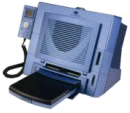
Traditionally most Professional photographers have become used to editing their photos in PhotoShop before printing; but increasingly this is no longer the case. We are constantly being told by photographers that they still do this, only to find that they actually print directly from the memory card, because using a stand alone printer with a hand held controller produces prints of exceptional quality!
Despite some initial reluctance, most photographers having seen the high quality of the prints produced, now print directly from the memory card without the need for a PC and PhotoShop. Gone are the days when you needed to spend lots of time "tweaking" colours etc. Using the stand-alone technique saves a lot of time by removing the PC and any hand trimming from the production process. As a frequent portability solution, a stand-alone HiTi Photo Printer is often used in conjunction with the optional HiTi power supply inverter, allowing many event photographers to print immediately on-site in their car via the cigarette adaptor to satisfy instant demand.
Some photographers use the DPOF mode on their camera, whereby they take images and select on the camera which ones they wish to print. It is then a simple task to tell the printer to print all the selected images in one go. This is ideal for black tie & equestrian functions; and many photographers use this technique.
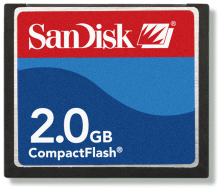
If your Hi-Ti Photo Printer does not support your specific memory directly, then an adapter maybe available. Using a HiTi Photo Printer and the hand controller on the Hi-Ti 730PS and 730Gala models is simplicity itself and enables you to print quality images very quickly. The maximum size of memory card supported by Hi-Ti Photo Printers is currently 2gb.
|
|||||||||||||||||||||


 Save over £70 on





 Digital Camera Memory - Overview

